
- Category
-
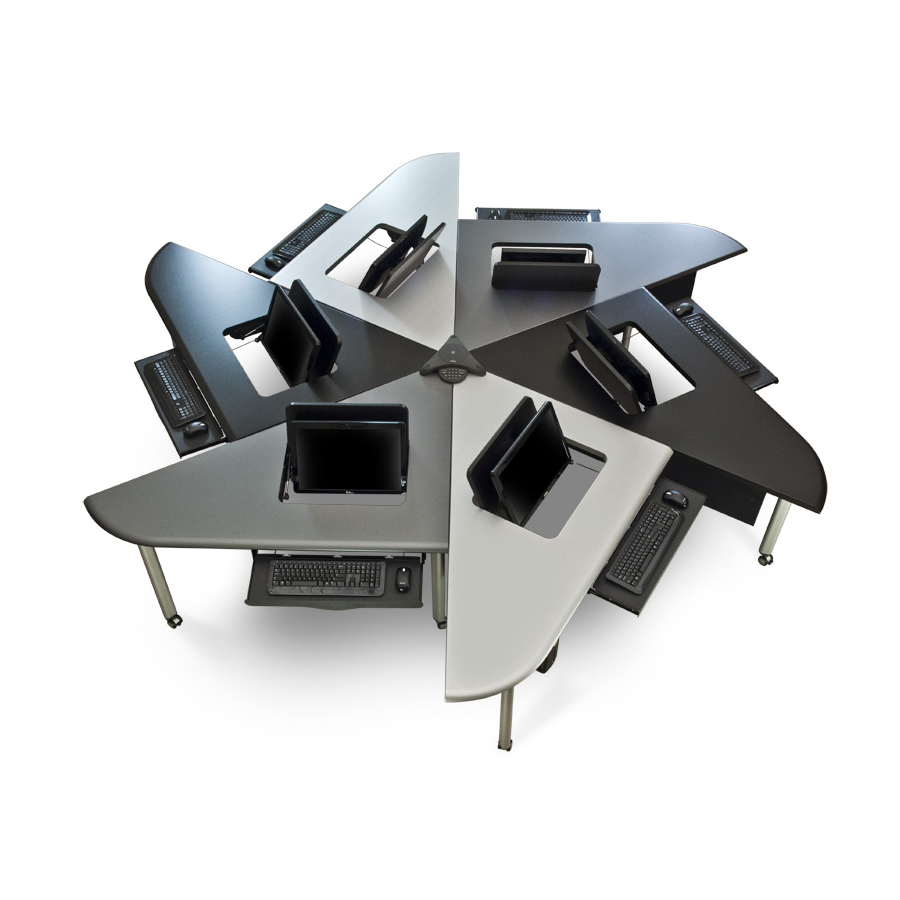
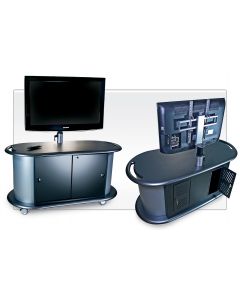
- Exchange Active Learning Classroom Technology Furniture 10
- iGroup Collaboration Furniture 6
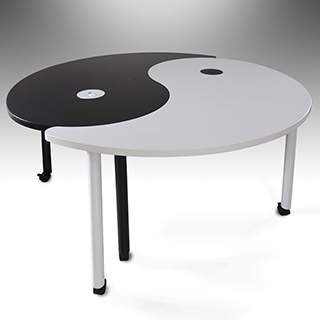
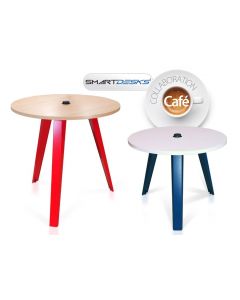
- Yin Yang Active Learning Tables 2
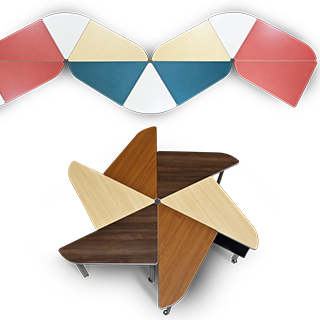
- Collab Active Learning Conference Tables 4
- Pi Laptop and Computer Tables 2
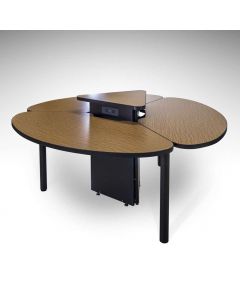
- Trapeza Collaborative Learning Table 2
- Quark Mobile Standing Desk and Qstar5 Collaborative Conference Table 3
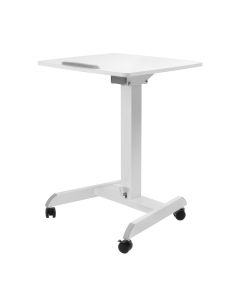
- Quark2 Mobile Sit Stand Collaborative Learning Laptop 2
Collaboration Furniture
Desks & Tables
Explore SMARTdesks' collaboration furniture, designed to facilitate active learning and create collaborative environments across K-12, higher education, and workforce development. Our modular furniture is perfect for flexible classroom and conferencing setups, facilitating dynamic interaction and teamwork. Each piece, from collaborative classroom furniture to versatile conference solutions, supports teaching and learning for students of all levels. SMARTdesks has pioneered collaborative furniture solutions to spark engagement and creativity in any collaborative setting for the last 25+ years.
Product Lines
Products
Collaborative Furniture
Furniture makes or breaks a space. Whether it’s a home, office, or learning space, the right furniture encourages interaction. People learn at a deeper level when in conversation, developing and refining ideas sparked by communication. Collaborative spaces facilitate these positive benefits when designed well. Why does collaboration matter? Businesses are productive and profitable. Educational institutions improve student learning outcomes. Organizations of all types build team cohesion and rapport.
What Is Collaborative Furniture?
Collaborative furniture are pieces of furniture that make it easier for members of an organization to interact with one another. This type of furniture should also be adaptive. When the needs of your space change, you should be able to rearrange your furniture to meet those needs. Collaborative furniture is necessary to reap the benefits of a collaborative workspace—increasing accessibility, mobility, interaction, and engagement.
What Is a Collaborative Workspace?
Collaborative workspaces encourage interaction between the people in those spaces. Workspace owners foster collaboration through a combination of layout and culture. Designing spaces to encourage interaction encompasses many benefits, such as:
● Enhanced Communication: Collaborative environments encourage and facilitate conversation. These conversations help teachers know what their students are excelling at and what they are struggling with. They also allow for a “flipped classroom” teaching style. Similar types of interaction also help businesses identify underlying issues or missed opportunities.
● Flexible and Agile Layouts: Collaborative workspaces should be helpful for various purposes, even if those purposes change. Presentations, breakout sessions, group projects, and class discussions all benefit from different layouts. Collaborative workspaces include mobile furniture that also powers your technology.
● Increased Productivity: People who work together share and explore new ideas. They refine ideas into products, strategies, processes, and more. The energy of a collaborative space sparks productivity as people are inspired by one another.
● Active Learning and Engaged Participants: People learn in different ways: through hearing, seeing, and doing. Collaborative workspaces enable peer-to-peer learning, in which employees or students work through the material together using discussions, demonstrations, and group work.
● Increased Accessibility: The physical layout and technological capabilities of workspaces matter. Mobile furniture allows for rearrangement of a space, creating easier navigation paths by wheelchair users. Tables with flipIT monitor mounts provide convenient access to visual and auditory aids.
What Does a Collaborative Workspace Look Like?
Collaborative workspaces vary across many industries and are used for different purposes. To get an idea of how to model your space, consider what they look like in the following examples:
● Business: To picture what a collaborative office space looks like, it helps to start with what one does not look like. Traditional cubicle walls isolate team members and stifle collaboration. Employees often shy away from interacting with their team members because they see crossing physical boundaries as an intrusion.
In contrast, collaborative office spaces primarily follow an open floor plan. Cubicles are still an option for those who need to complete independent work; they should not be the default. Group workstations, like those at a circular table, encourage conversation and help teams generate and refine ideas.Conference tablesfacilitate interaction between team members. Modular tablesallow your team to quickly move furniture and easily break out into smaller groups. See how these tables foster engagement for students at Chatham Middle School’s Innovation and STEM Lab
● Education: Just as cubicles isolate office workers, lecture halls separate students from one another and their instructors. These massive spaces facilitate one-sided interactions. The instructor talks at the students who try to keep up with notetaking. Some students succeed in these environments. However, many students benefit more from peer-to-peer learning, developing their skills through group discussions and projects.
Classroom layout should emphasize flow and adaptability. Instructors must be able to move freely around the room to monitor and connect with all students, not just the ones seated up front. Classrooms should also be flexible. Sometimes, lessons call for a circular seating arrangement. Other times, students benefit more from working in small groups. Like offices, classrooms use modular tables to meet changing needs.
● Training: Training centers convey critical information to employees during limited onboarding periods. As with lecture halls or traditional classrooms, one-sided presentations disengage audience members. For businesses, less engagement means lower performance from employees.
Instead, consider a training environment that reflects the workplace—an interactive setting where employees engage with the material, processes, and team members they will work with. Incorporating elements like breakout group discussions during onboarding for office employees or providing hands-on experience with the equipment they will use are valuable ways to equip trainees. Integratingcomputer lab deskswith the technology employees are learning helps them grasp processes and work through simulations.
It is important to note that collaborative spaces go beyond a physical room. Both businesses and classrooms must consider hybrid engagement. Having a room you rearrange is not enough, though that flexibility is undoubtedly helpful. Equipping your workspace with technology enables equitable collaboration for in-person and virtual participants. A reliable internet connection, monitors, and electric power are all necessary to leverage hybrid settings effectively.
How to Promote Collaborative Work
Many organizations value collaboration. According to Forbes, few organizations are effectively enabling collaboration. As a result, those organizations are missing out on key benefits, such as increased idea generation. Fostering positive interaction between workspace members takes more than just listing “collaboration” as an organizational value. It takes tangible change. Here are some ways to transform an environment for collaborative working:
● Rethink the Layout: According to research published by the Journal of Learning Spaces, classroom layout significantly impacts how well students learn. In this study, the classroom had an open design with moveable tables and workstations. The ability to rearrange the classroom and form groups increased interaction between students and instructors, ultimately resulting in a greater sense of classroom community, enhanced student engagement, and more comfortable and frequent interactions. The study finds that the classroom’s open and flexible design “erased the line” between themselves, their instructor, and other students.
Increased connection resulting from collaboration isn’t unique to classrooms. Research published by Concordia University-Portland supports the idea that professionals and administrators benefit from sharing collaborative workspaces. The study focuses on educational settings and the relationships between teachers and administrators, with the outcome showing that shared workspaces facilitate shared decision-making. The results indicated that collaboration is especially important in settings where decision-makers are acting on behalf of team members in significantly different roles.
● Intentionally Choose Furniture: Collaborative furniture makes interactive workspaces possible. These pieces of furniture have the mobility, shape, and technology to fit any purpose. The University of Colorado published research showing that students value classrooms with flexible layouts over rigid lecture halls that inhibit interaction. The research also stresses the importance of including a variety of functional furniture in collaborative spaces. For example, this research specifically mentions a mobile conference table and chairs set with different heights that users adapt to their unique needs.
Changing out stiff, stationary furniture for more flexible options opens up a workspace to new possibilities and chances for interaction. Integrating technology into furniture empowers users to work, study, and learn new skills.
● Create a Comfortable Environment: Physical comfort also impacts how people interact. For example, the quality of your workspace’s lighting affects people’s productivity in positive or negative ways. According to a research paper by the University of Mississippi, fluorescent lighting causes headaches and impair visual performance. Each of these effects negatively impacts workers and learners. Instead, natural light improves people’s moods and cognitive function.
Temperature also impacts mood. Rooms that are too hot or too cold makes people irritable and uncomfortable. Ensure that your workspace is comfortable enough for the people using it. Make sure to leverage surveys and direct engagement with those using the space so you learn what works best for your team.
Collaborative work and learning environments benefit from flexible spaces, various perspectives, adaptive furniture, and a comfortable environment. In many cases, the difference between engaging and isolating spaces is the choice of furniture.
What Are the Characteristics of a Collaborative Classroom?
Typically, collaborative classrooms have the following characteristics:
● Classes are able to rearrange the room to accommodate the day’s goals.
● Instructors efficiently interact with students at any seat.
● Students work together through peer-to-peer learning to further understand course material.
● There is no separating “line” between students and instructors.
The goal of a collaborative classroom is to encourage each student to engage with the curriculum and one another. Group work teaches students valuable academic, social, and professional skills. Collaborative classrooms enable the interaction necessary to learn these skills.
What Is Collaborative Grouping in the Classroom?
Collaborative grouping in the classroom is an instructional method that breaks students into small groups to learn from each other. Also called peer-to-peer learning, this method is one of the leading educational philosophies, according to The George Washington University. Teachers facilitate collaborative learning by:
● Intentionally choosing groups that allow students to share complementary strengths and social skills.
● Optimizing group sizes to allow for active discussions that involve all participants.
● Teaching active listening skills, such as eye contact, paraphrasing, and providing constructive feedback.
● Setting clear expectations and timelines that keep students focused on the activity’s goals.
● Assigning roles to group members, such as speaker, notetaker, and fact checker.
● Giving different tasks to each group to encourage students to listen to other groups’ presentations.
● Helping students get comfortable in a group by starting with a game or icebreaker.
● Evaluating each group separately from the other groups to give feedback on their specific dynamics.
● Differentiating instruction so everyone succeeds.
Teachers facilitate peer-to-peer learning more easily when their classroom is set up to encourage group interactions. Having the right collaborative furniture helps
What Are Examples of Classroom Furniture?
Collaborative classroom furniture includes desks and chairs that help students interact with each other while staying focused. Collaborative student desks provide on-demand computer access, comfort, and mobility. Explore the following options for collaborative tables for classrooms:
Exchange Active Learning Tables
Exchange Active Learning Tables function as individual desks or combine into a group workstation. By arranging these desks in an arrow formation, students engage with each other while still being able to face the front of the room. FlipIT monitor mounts fit to laptops or desktop monitors while sliding keyboards help keep workspaces distraction-free when not in use. See how the Texas A&M Library uses Exchange Active Learning Tables to create adaptable and engaging spaces.
Quark2 Mobile Standing Desk and Qstar2 Collaborative Conference Table
These pieces of collaborative furniture allow students to work how they feel the most comfortable—sitting or standing. Each desk is an individual unit that students wheel to a central docking unit that holds up to five desks. Students integrate their devices with power and data covers. These desks provide versatile maneuverability as long as students bring any devices they need for class.
Horizonline Computer Tables
Horizonline Computer Tables are stand-alone pieces of furniture that students easily move around. Their rectangular shape helps them fit together with other desks for group-oriented configurations. These desks also come equipped with convenient technology integrations. Hideaway flipIT LCD monitors and sliding keyboard mounts enable students to focus on either digital or pen-and-paper work. These desks also include mounted power strips to help with wire management.
How Does Furniture Improve Training Centers?
Training centers become more effective when trainees have easy access to technology. These spaces are like classrooms for adult learners. Trainees use computers while simultaneously paying attention to the instructor’s directions. For example, a training course may require trainees to work through a software demonstration program while the instructor explains each step. Computer lab desks and workstations provide the necessary technology integrations in these settings. Some furniture pieces are designed with mobility in mind, too. Consider how the following desks could improve your training center:
FP Series iMac & PC Recessed Display Computer Desks
These computer desks are designed to get the most efficient use of space in a training center. With two seats per desk, they are scaled to maximum trainee capacity. They integrate technology in a compact manner. Recessed monitors make it easy for trainees to see presentations over their screens. Cable management panels reduce clutter. Keyboard trays and below-desk computer tower storage spaces maximize the usable area on the desk.
HorizonLine Monitor Lift Desk
These desks-on-wheels are ideal for training centers that accommodate different types of sessions. The HorizonLine Monitor Lift Desk is available as a single- or double-seat unit, offering more options for arranging your space. Technology is built into the design of these mobile desks. Computer monitors fold down when not in use to provide more desk space. The adjustable monitor arm allows each trainee to create the most comfortable learning environment.
iLid Flip-Screen Tables
These flip-screen tables make technology easy for learners to access. Computer screens and keyboards flip up when needed. Learners also store technology under a completely flat surface for face-to-face activities. The keyboards are part of the same compartment as the flippable screen, saving space underneath each desk.
What Is the Importance of Furniture in an Office?
Choosing which furniture to use in your office or learning space is important because it guides how people interact with one another. If your furniture—and how you organize it—encourages people to work together and discuss ideas, your organization benefits from increased productivity and insights. If your furniture isolates employees, you hinder the flow of ideas and leave team members to solve problems independently.
Office furniture plays an important role in hybrid work environments. You need access to technology to bring in-person and virtual team members together. However, that technology often frustrates users or causes a cluttered workspace. At SMARTdesks, the furniture design allows technology to work for you, not against you. Consider the following collaborative office desk options:
Piatto Conference Tables
Piatto Conference Tables include concealable monitors and real wood edges. These features provide a sophisticated environment for users to work and learn in. Convenient power and data banks enable hi-tech presentations and are ideal for displaying visual information and connecting with virtual participants. See how SMARTdesks make virtual and hybrid learning possible and engaging for universities.
Artisan Custom Made Veneer Conference Tables
These custom made conference tables have a flipIT monitor mounting system for computer monitors. For quick access, you flip the monitor up. Simply fold the monitor down to return the table to an even, clutter-free surface. The entire structure of these tables is designed with a similar goal in mind. When you need technology, it is quickly accessible. When you don’t need it, tuck it away. Keyboard trays slide out from under the table. Data and power banks pop in and out of the center of the table, within easy reach for all team members.
Your choice of office furniture impacts how accessible your space is to employees. Mobile furniture enables a collaborative desk layout. For functionality and flexibility, consider the following table:
Motif Computer Conference Modules Featuring flipIT
These modular tables incorporate technology while providing flexibility. With a flipIT monitor mounting system, each team member easily interacts with hybrid employees. The ease of interaction helps your entire team contribute to meetings, no matter where they are working from. Options for attached power and data units cut down on how many cables you need to run across your office floor, making it easier and safer for all employees as they move through their work environment.
Modular tables come with the added benefit of design flexibility. For conferences, push the desks face-to-face. For presentations, angle them toward a central point. For breakout sessions, separate the tables.
The furniture you place in your workspace determines the dynamic of your team. Choose pieces that encourage all team members to collaborate. Explore our collection of collaborative furniture for more options. Collab Active Learning Tables, Pi Laptop and Computer Tables, Yin Yang Active Learning Tables, and more enable adaptive and exciting learning spaces.
What Are the Four Types of Office Furniture Features?
Collaborative furniture for your office or learning space should:
● Remove barriers to communication.
● Integrate technology.
● Be easy to rearrange.
● Encourage participation.
Learning happens everywhere: in offices, classrooms, and training centers. Collaborative desks that have these features make teamwork and group learning easier. Collaboration tables for office and learning space use transforms the energy in a room. Instead of keeping people—and their ideas—isolated, these pieces of furniture encourage face-to-face interactions and in-depth discussions.
Which Type of Furniture Is Most Desirable for an Office?
The most desirable pieces of furniture for an office are ones that encourage collaboration. Your furniture should be adaptable and make it easier to use technology. When it comes to office furniture, stylish options are important, too. Employees may develop more pride in their role when their environment is sophisticated. Your space’s style impresses prospective customers, investors, and other stakeholders.
When picking out workspace office furniture, consider which materials, colors, and finishes elevate your brand image. Would users appreciate an elegant, formal mahogany? Would they respond positively to playful primary colors? Do you want a contemporary aesthetic from grayscale colors with a thermofoil finish? The most desirable furniture for your office or learning space ultimately depends on the primary users and your organization’s aesthetic style. With SMARTdesks’ customizable options, you don’t have to choose between functionality and visual appeal.
What Is the Best Office Table?
The best furniture for your collaborative space depends on the purposes of that room. Here are some common goals and furniture that supports them:
● Help energetic students focus using the seated or standing options provided by the Quark2 Mobile Standing Desk and Qstar2 Collaborative Conference Table.
● Provide modular tables for users that bring their own devices with the Trapeza Collaborative Learning Table.
● Enable on-demand computer access while maintaining a flexible room design by installing Exchange Active Learning Classroom Technology Furniture.
● Transform your collaborative space via room packages that combine collaborative furniture, portable power, and raised floor systems.
At SMARTdesks, our mission is to help create collaborative spaces that are engaging and inclusive. We work with businesses and learning centers to build configurable furniture pieces that meet mobility, technology integration, and quality needs. All of our furniture is made to order in the USA—ensuring quality that lasts and efficient turnaround times.
Ready to transform your collaborative space? Start designing today.
Collaboration Tables & Desks
Companies and schools alike conduct group meetings and collaborative activities on a regular basis. For situations like these, standard tables and desks just won’t do. Give your teams the collaborative environment they need with SMARTdesks® collaborative furniture solutions. You may be pleased to know that our company specializes in collaboration tables for classroom, collaborative tables for offices, and much more. Whether you are looking to get an office collaboration table or several smart desks for classrooms, we have got you covered.
SMARTdesks® has more than two decades of experience in designing and manufacturing collaboration furniture and smart desks for classrooms and offices. We can build collaborative furniture to meet your unique requirements and design them to foster powerful, productive group experiences. Customize your furniture to fit any space and decor.
Access to technology is a critical component for modern group collaboration. Our array of collaborative tables and smart desks comes fully integrated with power and data capabilities to allow your teams to utilize their preferred devices as they meet. With our patented flipIT® multiuse computer monitor support, your teams can also access a computer on their terms, not the furniture’s.
Collaborative Furniture for Learning Purposes
The modern classroom needs furniture geared towards the latest educational techniques. SMARTdesks® has responded with an array of collaborative space furniture. Solutions such as smart desks and collaborative tables have been used by colleges and universities across the United States seeking to offer a first-class collaborative learning experiences or for instructors and students alike.
We also serve the private sector. SMARTdesks® has worked with a range of companies in numerous industries in need of offering collaboration furniture to their teams. We manufacture a range of products suited for use in conference rooms.
Our collaboration furniture is built with integration and space requirements in mind. In addition to our collaborative desks and chairs, we offer classroom computer tables, conference tables and a range of computer furniture seating options to provide your users with a one-of-a-kind collaborative experience.
Contact us today to learn more about our collaboration furniture.