|
|
||||
|
|||||||||||||||||||
|
|||||||||||||||||||
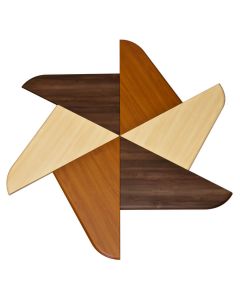
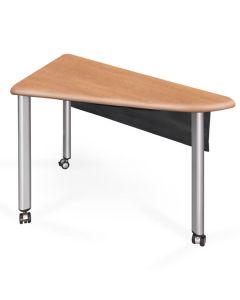
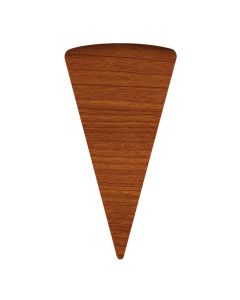
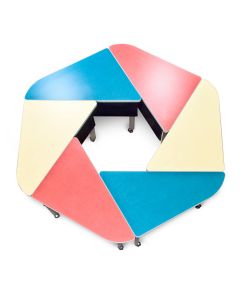
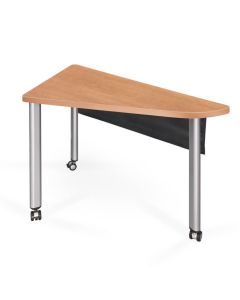
the basic element: The iGroup® element is triangular with a curve on the user's side. Made in mirror image left and rights, iGroup elements assemble to form a myriad of interactive shapes. Get creative with your classroom planning. Change up the arrangement for different group settings. Experiment with different shapes to find out what works best for your students and their learning styles. Leg heights can be ordered to scale with the size of your student bodies for grades K-12. The standard adult size leg is 28 inches, but can be made to order in a range of 24 to 28 inches. Locking casters allow easy mobility and stationary performance in use. Available in HPL laminate tops with PVC edge trim (shown) or 3D Thermofoil with contoured edges.
|
![]() |
||||||||||||||||||
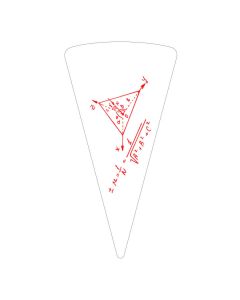
Accessories to support high tech If you are using tablets, Kindles® and iPads®, the iDrawer™ is a great add-on for locked security and a source for 120VAC and USB power for charging. Battery life is no longer an issue, and class time creativity won't lose its spark. The WhiteWrite Wedge™ is a marker board work surface that is a joining section between mirrored iGroup Elements. These sections are locked in place by interlocking joining plates, which can be easily unlocked if the sections need to be moved for different setups.
|
![]() |
||||||||||||||||||
A grommet-mounted LCD arm can be added. See our LCD arms to select one that's right for you. Power data ports can be added, such as the FC600; a cable pass-through port is standard. A nylon fabric modesty panel, stretched over a steel frame, is suspended on the long side. A hook & loop closure panel provides wire management. A SnapChase™ wire manager can be specified—a U channel that snaps to the leg to conduct cables from the floor to the modesty panel and top side. |
![]() |
||||||||||||||||||
Perfect for using the school's iPads in class. They are always under power, store under lock and key, and allow full use of the touch screen and FaceTime camera. A Home Button blockout tab is incuded so the instructor can prevent students from playing with other apps in class. To specify, use the comments box on the QuoteMe page. Say: add iPad flipIT.
|
![]() |
||||||||||||||||||
![]() |
|
| Start a dialog with our Design Center now. The service costs you nothing. Give us the size of your room and your input about how you want to use the space. Describe your teaching technologies and methods. We will develop floor plans, pushing these iGroup Elements® around with you to make the perfect space, aligned with your goals and objectives. | |
|
|||